What We Do
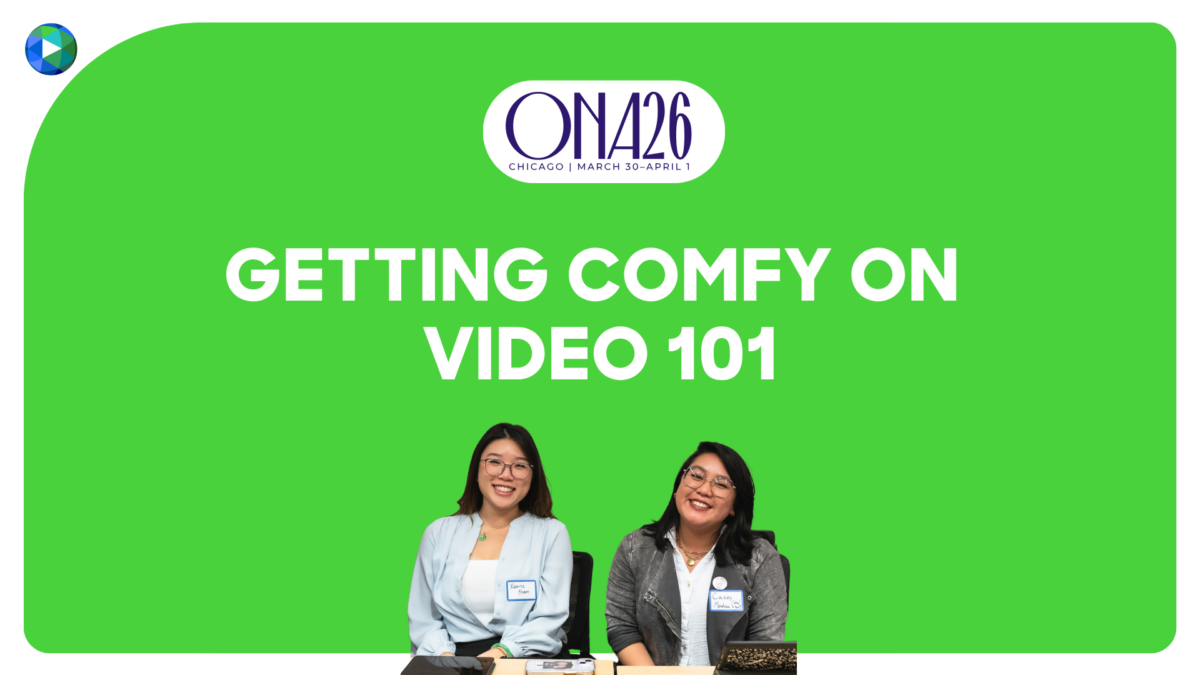
Vertical video aficionados (and VC Chicago community organizers) Katrina Pham, Casey Mendoza, and Chris Vazquez share their tips and tricks for making sleek and informative vertical videos that stands out.
This tip sheet was produced for "Getting Comfy on Video 101," a panel presented by Video Consortium at ONA2026 in Chicago.
📱 VERTICAL VIDEO 101
Diving into vertical video and don't know where to start? We've got you.
⚡️ SOFTWARE RECS
- Adobe Express — if your team is already using the Adobe Creative Cloud Suite) or Adobe Premiere Pro if it’s in budget
- Instagram Edits — for those who just want to make fast videos easily on their phones.
- DaVinci Resolve — free video editing software for those who want to have something more robust
- Teleprompter Apps
- “Elegant Telepromter” for Android
- Or, go with the generic “Teleprompter” app in the Apple app store
- CapCut for video editing — note: the free version still has features like the green screen effect and a teleprompter!
🎙️ HARDWARE RECS
- Tiny Mics!
- Rode Wireless Mics like these
- DJI Wireless Mics like these
- Hollyland Larks
- Buy a green screen or use green poster board (from your nearest dollar store)
- Playing with your phone’s camera settings (e.g. iPhone settings → camera → 4K at 30 fps; formats → most compatible)
- Lights — you will always need two lights (one in front of you to make sure you are clear, and another behind you to add depth)
- If you don’t want to buy a light, you can use two lamps that you already own.
- If you're choosing to buy a light, most basic ring lights or clip-on lights will do the job. If you wear glasses, ring lights will reflect off your glasses, so consider a more diffused or softer light.
- Advanced Equipment (for higher production value)
- If you have a professional camera / DSLR and tripod, consider getting an L-Bracket so you can shoot vertically.
- Cleaning things up:
- Adobe Podcast on your browser can help when editing audio if you don’t have mics!
- Adobe Express can remove your background if you don’t have a green screen!
💡 GENERAL TIPS
- While scripting:
- Be conversational! Read your script out loud and pretend like you’re talking to a friend. This is very important and can make or break your piece. For example, would you really say “amid” while telling your parents, sibling, or child about a news story?
- Be intentional about your hook. How are you getting people to stick around? This isn’t dissimilar to the lede of an article
- While filming:
- Try using a teleprompter to film, or memorize one line at a time and record in clips! You don’t need to memorize your entire script in one go.
- Make sure there’s nothing in the background that you wouldn’t want strangers on the internet to see (e.g. family photos, something that gives away your precise location, etc.)
- While editing:
- Cut the dead space. You want your videos to be dynamic, and any pauses, likes, and ums can be cut out to help keep the video moving. (Apologies to any millennial pause-rs!)
- When jumping from one cut of yourself to another (like when you cut out a pause), you can zoom in on yourself for emphasis.
- What visuals can you use that aren’t just screenshots of your article? Video isn’t a text-based medium, and you want to avoid making this feel like an ad for your publication.
📚 HELPFUL RESOURCES
- Adriana Lacy’s Influencer Journalism newsletter is great for learning tips on how newsrooms can partner with creator journalists, and why creator journalism is essential!
- Our friends at Project C
- Rise of the Creator-Journalist: VC's report with Project C
- Next Gen News: Understanding the Audiences of 2030 — this report gives a deep dive on how Gen Z audiences are engaging with news to share insights on what the future of news consumption will look like and how trust can be built between newsrooms and digital audiences
- Folks to follow for inspo:
- Katrina, Borderless Magazine
- Casey, Encyclopedia Brittanica
- Chris, TikTok
- Under the Desk News with V Spehar
- Local News International with Dave Jorgenson
- Kahlil Greene, Gen Z historian
- Natalie Compton, WaPo travel reporter
- Phil Edwards, produces incredible explainers
- The Studio (by MKBHD AKA Marques Brownlee), tech reviewers
- Joss Fong and Adam Cole: Howtown, meticulous explainers
Share this post
Get the latest news delivered right to your inbox
Get summaries a few times a month of what’s happening at VC.
This site is protected by reCAPTCHA and the Google Privacy Policy and Terms of Service apply.


